

1
Create a Pull Zone
Log in to your bunny.net dashboard and create a new Pull Zone with your TYPO3 site as the origin URL. For details, see How to create your first Pull Zone.Match the protocol of your site exactly. If your TYPO3 site runs on HTTPS, enable HTTPS on the Pull Zone; if it runs on HTTP only, leave HTTPS disabled. A mismatch will cause errors.
2
Install the Content Replacer extension
If your TYPO3 install uses Composer mode, install the extension from the command line:
3
Configure the Content Replacer
Go to Template, select the root page, enable Modify, and edit the entire template record.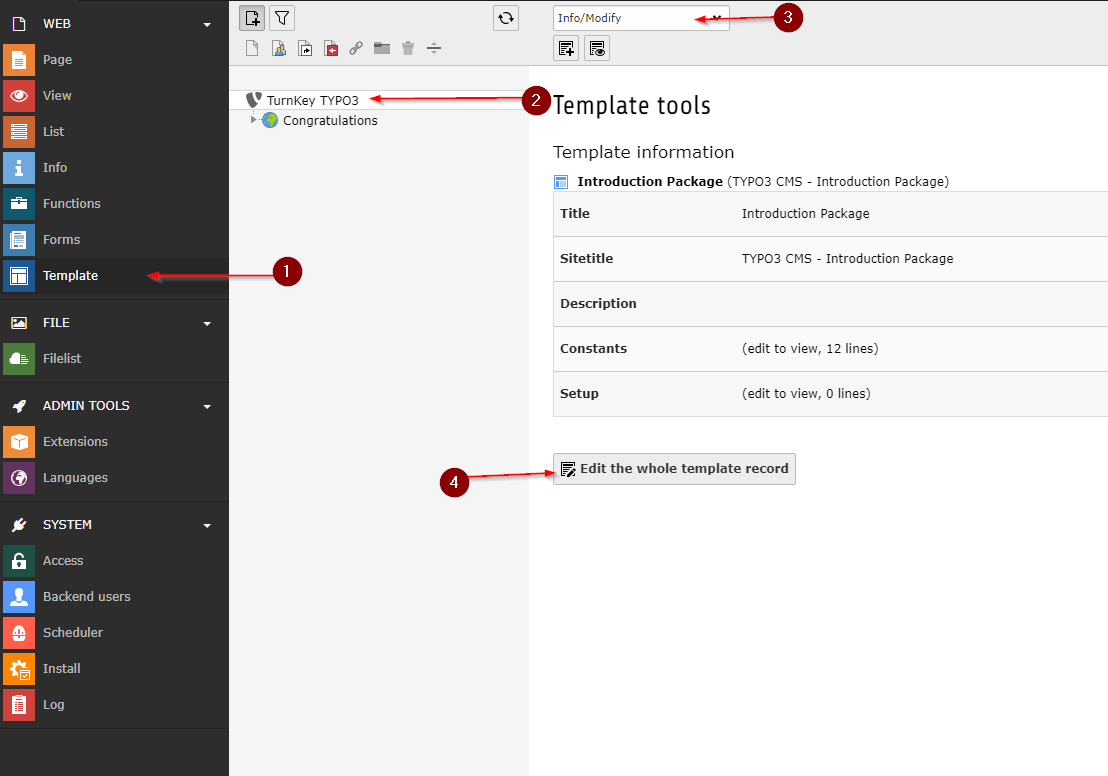
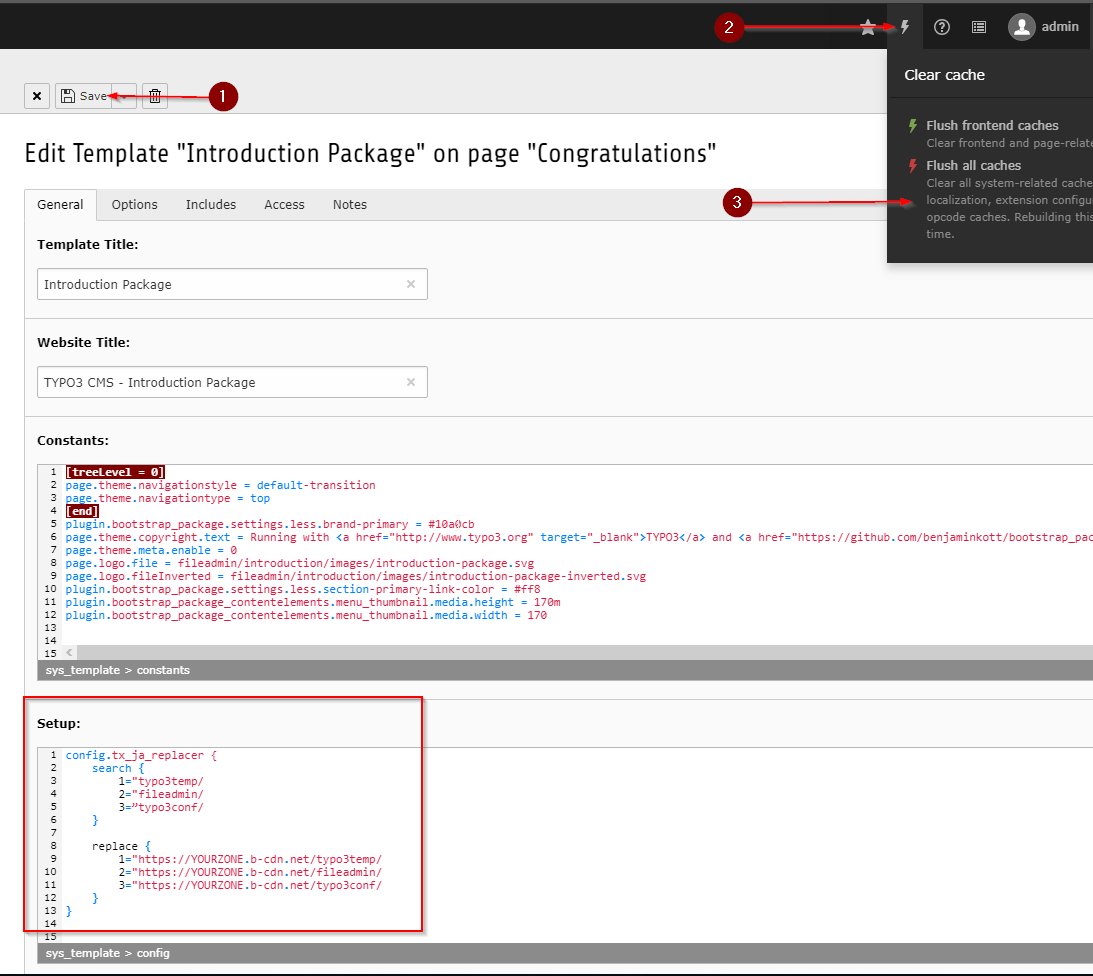
YOURZONE.b-cdn.net with your Pull Zone hostname: